Understanding PS5 Memory Card Compatibility
The PlayStation 5 represents a significant leap in gaming technology, but with this advancement comes new considerations for storage expansion. Unlike previous PlayStation generations, the PS5 does not use traditional memory cards for game storage. Instead, it relies on internal SSD storage that can be expanded through specific compatible options.
What Type of Storage Does PS5 Use
The PS5 features an internal custom SSD that serves as the primary storage solution. This solid-state drive is designed specifically for the console and offers lightning-fast load times that define the next-generation gaming experience. However, the standard storage capacity may not accommodate large game libraries, especially with modern games requiring substantial space.
Official Expansion Options
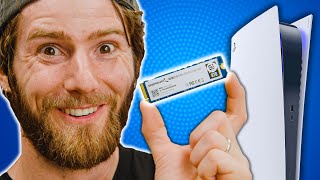
Sony has provided several legitimate ways to expand PS5 storage. The most straightforward method involves using the internal M.2 SSD slot, which accepts PCIe Gen4 x4 NVMe SSDs. These drives must meet specific size and thickness requirements to fit properly within the console.
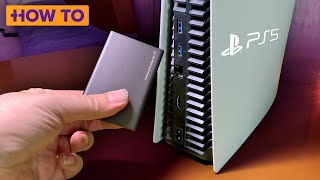
For those who prefer external storage solutions, the PS5 supports USB-C external drives for PS4 games and media content. However, it is important to note that PS5 games cannot be played directly from external USB storage - they can only be stored there temporarily while other games are played from the internal SSD.
Compatible Third-Party SSD Options
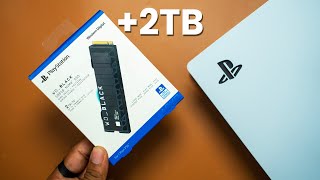
Several manufacturers have developed SSDs specifically designed for PS5 expansion. Western Digital's SN850 series has been officially licensed by Sony for this purpose. These drives offer the necessary speed and capacity to match the PS5's performance capabilities.
Seagate has also entered the market with their Game Drive products tailored for PS5. These solutions often include features like tool-free installation and optimized heat dissipation to ensure reliable operation within the console environment.
Technical Specifications for Internal SSD Expansion
When selecting an internal SSD for PS5, certain technical specifications must be met. The drive needs to be an M.2 2280 form factor with a length of 80mm. The width should be compatible with the slot dimensions, typically 22mm. Additionally, the drive must be no thicker than 11.25mm to fit within the console's internal space.
The interface requirement is PCIe Gen4 x4, which provides the necessary bandwidth for PS5 games to run at full speed. While PCIe Gen3 drives may function, they will not deliver optimal performance. The read speed should ideally reach 5,500 MB/s or higher to match the console's capabilities.
Installation Considerations
Installing an internal SSD requires some technical knowledge and careful handling. The process involves opening the console, which may void warranties if not performed correctly. Users should back up important data before attempting installation and follow Sony's official guidelines precisely.
Thermal management is another critical factor. Many expansion SSDs come with built-in heatsinks, which are often necessary for stable operation. The PS5's internal design includes airflow considerations that work in conjunction with proper SSD cooling solutions.
External Storage Workarounds
While PS5 games cannot run directly from external USB drives, there are practical workarounds available. Users can store PS5 games externally and transfer them to internal storage when needed. This approach helps manage storage limitations, particularly for games that are played less frequently.
The USB external drive must be formatted specifically for PS5 use, and only certain drive capacities are supported. External drives connected via USB 3.0 or higher are required for optimal performance during transfers and when playing PS4 games.
Future-Proofing Your Storage Solution
Investing in PS5-compatible storage should consider future needs as well as current requirements. Game file sizes continue to grow, and next-generation titles will likely demand even more storage space. Choosing a drive with ample capacity and proven compatibility helps avoid frequent upgrades.
Researching user reviews and official compatibility lists is essential before purchasing any expansion solution. Manufacturers regularly update their compatibility databases, and what works today may require



![Which SSD Is Best for PS5? [Watch This Before You Buy!]](https://i.ytimg.com/vi/AqnMq6uDdz8/mqdefault.jpg)