How To Fix A Blinking Red Light On A Vizio Soundbar
Getting a blinking red light on your Vizio Sound Bar can be frustrating, especially when you’re trying to enjoy movies or music. The good news is that most issues are easy to diagnose and resolve without calling a technician. This guide walks you through the most common causes and step‑by‑step solutions, so you can get back to high‑quality sound in minutes.
Understanding What the Red Light Means
On Vizio soundbars, a solid red light typically indicates that the unit is powered off, while a blinking red light signals an error or a connectivity problem. The pattern of the blink (slow vs. fast) may vary by model, but it always points to one of three areas:
- Power supply issues
- Bluetooth or Wi‑Fi pairing problems
- Internal firmware glitches
Pre‑Check: Simple Things to Try First
If your soundbar is flashing red, start with these quick checks before moving on to more detailed troubleshooting.
- Make sure the power cord is firmly plugged into both the wall outlet and the soundbar.
- Verify that the outlet is working by testing it with another device.
- Check for any visible damage on the power cable or the power port.
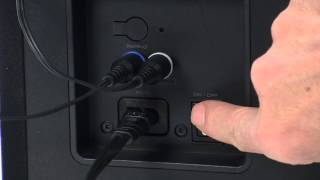
- Press the power button on the soundbar for at least three seconds to ensure a proper reset.
If the red light continues to blink after these steps, proceed to the sections below.
Fix #1 – Power Supply Issues
Often the blinking red light is simply a sign that the soundbar isn’t receiving enough power.
- Use the original adapter. If you’re using a third‑party charger, it may not supply the correct voltage.
- Try a different outlet. Some outlets are on a separate circuit that may be overloaded.
- Reset the unit. Unplug the soundbar, wait 30 seconds, then plug it back in.
If the problem persists, the internal power board could be faulty, and you may need to contact Vizio support for a warranty repair.
Fix #2 – Bluetooth or Wi‑Fi Pairing Problems
Many Vizio Sound Bar models use a blinking red light to indicate a failed wireless connection. Follow these steps to re‑establish the link.
- Turn off other Bluetooth devices nearby to avoid interference.
- On the soundbar, press and hold the Bluetooth button until the red light starts flashing rapidly.
- On




![VIZIO TV's Power Red light Blinks or Flashing OFF and ON [Fixed]](https://i.ytimg.com/vi/SC9GCfB-c2U/mqdefault.jpg)