How To Clean The Dust Out Of An Xbox Series X Fan Without Taking It Apart
Dust buildup inside the Xbox Series X fan can cause overheating, louder operation, and reduced lifespan. Fortunately, you can remove most of the debris without opening the console. This guide walks you through safe, effective methods that keep your console cool while preserving its warranty.
Why Regular Dust Removal Matters
Even though the Xbox Series X is built with a sealed chassis, airflow still passes through the vent grills and cooling fins. Over time, tiny particles settle on the fan blades and heat‑sink surfaces. When dust blocks the airflow, the system works harder to stay within safe temperature ranges, which can lead to:
- Increased fan noise
- Longer load times for games
- Potential throttling of performance
- Higher risk of hardware failure
Keeping the fan clean extends the console’s reliability and helps you maintain optimal gaming performance.
What You’ll Need
- Compressed‑air canister (with a narrow nozzle)
- Soft‑bristled brush – a small paintbrush or a dedicated electronics brush works well
- Micro‑fiber cloth for exterior cleaning
- Vacuum cleaner with a brush attachment (optional but helpful)
- Anti‑static wrist strap (optional for added safety)
Step‑by‑Step Cleaning Process
Follow these steps to clear dust from the fan area without opening the console.
- Power down and unplug. Turn off the Xbox Series X, wait at least 30 seconds, then disconnect the power cable and any accessories.
- Position the console. Place the Xbox on a flat surface with the vent grills facing upward. This orientation lets gravity assist in loosening dust from the fan.
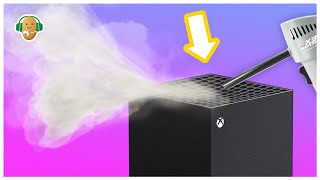
- Use compressed air. Hold the can upright and spray short bursts (2–3 seconds) into each vent grill. Aim the nozzle at an angle to push dust out rather than deeper into the system. Do not shake the can as it could expel liquid propellant.
- Brush the vents. After each air burst, gently sweep a soft‑bristled brush across the vent openings. This dislodges particles that may be clinging to the fan blades or heat‑sink fins.
- Vacuum the expelled dust. With the vacuum set to
![How to Clean Xbox Series X Without Opening It [Safe Dust Removal]](https://i.ytimg.com/vi/mMpboBwtBis/mqdefault.jpg)