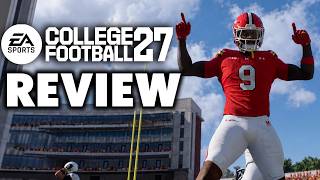
College Football 27 PC Review: Finally on the Platform It Deserves
For years, PC gamers have watched console players enjoy the pageantry, the marching bands, and the bone-crunching tackles of college football video games. With College Football 27 now available on PC, the question is no longer “when” but “how well.” After spending dozens of hours with the PC version, I can say this is a strong port that brings the full college experience to a wider audience, though it comes with a few caveats worth knowing before kickoff.
What’s New in College Football 27 on PC
The headline feature remains the deep dynasty mode, where you build a program from the ground up. Recruiting is more granular than ever, with a new pitch system that forces you to balance playing time promises, academic prestige, and proximity to home. On PC, the mouse and keyboard interface works surprisingly well for navigating the recruiting board, though a controller is still the better choice for on-field action.
The game also introduces a revamped fatigue system. Players who are overused in the first half will noticeably slow down in the fourth quarter, which means you can no longer rely on a single star running back. This adds a strategic layer to play-calling, especially in close conference matchups. The PC version benefits from faster load times, so getting in and out of games feels snappier than on consoles.
Performance and Graphics: A True Next-Gen Leap
Running on a mid-range gaming rig (RTX 3060, 16GB RAM, and an i5-12400), College Football 27 holds a steady 60 frames per second at 1440p with most settings on high. The stadium atmosphere is the star here. Sunlight filters through the stands, band members have individual animations, and crowd reactions feel more organic than in previous years. The grass texture looks genuinely real, especially when you see cleat marks accumulate over the course of a game.
There are a few optimization quirks. The game’s menu screens occasionally stutter when you first boot up, and the dynamic weather system can cause a noticeable frame drop during heavy rain if you have shadow quality set to ultra. Lowering shadows to high fixes this without sacrificing much visual fidelity. Overall, the PC port is well-tuned, and players with a GTX 1660 or better should be able to find a playable settings preset.
Gameplay on Keyboard and Mouse
If you are determined to play with keyboard and mouse, you will find a fully rebindable control scheme. Passing works well with the mouse to lead receivers, and the sprint modifier on the spacebar is intuitive. However, defensive play—especially tackling and switching players—feels clunkier without analog sticks. For the best experience, I recommend a wired Xbox or PlayStation controller. The game fully supports both, with proper button prompts and no input lag issues.
One notable improvement is the precision passing mechanic. Holding the pass button and moving the left stick to place the ball in a specific spot is now more responsive, which is crucial when throwing into tight windows against zone coverage. The PC version’s higher frame rate makes this easier to time, giving you a slight competitive edge over console players in online head-to-head matches.
Dynasty Mode and Recruiting Depth
Dynasty mode remains the heart of the game. You can take a Group of Five school and work your way up to a national title, or rebuild a blue-blood program that has fallen on hard times. The new “culture” meter tracks team morale, discipline, and academic standing. Ignore it, and you will see transfers and early NFL declarations. Manage it well, and you will get a boost in player development.
Recruiting is where the PC version shines due to the quick-save feature. You can now save before a crucial recruit’s official visit, then replay the weekend if your pitch goes poorly. This is a quality-of-life feature that console players do not have, and it makes the long grind of a 10-season dynasty far less punishing. The transfer